A photobooth gif is a short, looping animation stitched together from a rapid burst of photos taken inside a photo booth, and it appears on screen within seconds so guests can share it before they even sit back down. PicsPhotoBooth.com has offered this feature as part of its Boomerang and GIF capture add-on since 2014, serving weddings, parties, school dances, and corporate events across the Tri-State region — Southern Indiana, Western Kentucky, and Southern Illinois. Compared with a single still photo, however, a photobooth gif adds motion, humor, and personality that guests genuinely want to post online.
Because this feature has become one of the most requested add-ons at events throughout the region, it helps to understand exactly how a photobooth gif works, what it costs, and how it compares to other capture styles before you book. This guide, therefore, covers every detail — from the technology behind the format to setup requirements, pricing, and creative ways to use it — so you have everything in one place before you book your photo booth rental.
What Is a Photobooth GIF?
A photobooth gif is a short animated loop, usually three to five seconds long, built from a quick sequence of photos captured in rapid succession. Once captured, the individual frames are stitched together into a single file that guests can view immediately on the booth’s touchscreen.
The word GIF, short for Graphics Interchange Format (a simple, decades-old image standard that supports basic frame-by-frame animation), is documented in detail on Wikipedia. Unlike an MP4 video, a GIF needs no special player — it loops automatically inside a text message, a group chat, or a social feed. As MDN Web Docs explains, this universal compatibility is exactly why the format has survived for over three decades of internet culture.
Inside a booth, a camera or app captures anywhere from three to eight frames within a couple of seconds, then compresses them into a small file guests can text, post, or revisit later. For a closer look at the mechanics behind this process, our dedicated breakdown of how a photo booth GIF works and why guests love it goes even deeper. In addition, anyone curious about past results can browse real examples in the event gallery before booking.
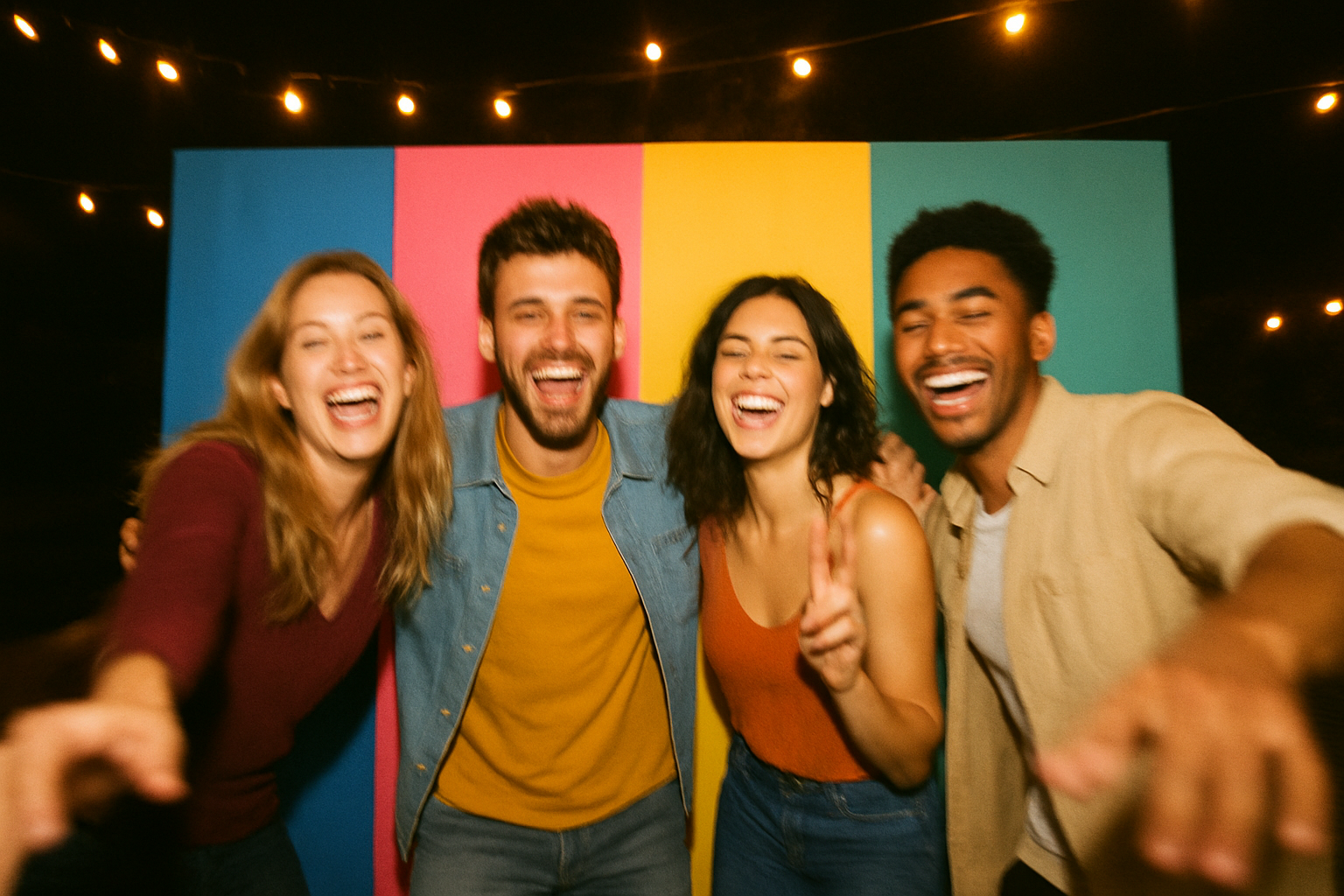
Guests captured in motion for a photobooth gif at an evening event.
How a Photobooth GIF Is Captured, Step by Step
A GIF booth follows a simple, repeatable process from the moment a guest steps up to the moment they walk away with a shareable animation. Specifically, here is how that sequence typically plays out:
- Guests step in front of the backdrop or into the booth and select the GIF or Boomerang option on the touchscreen menu before posing for the camera.
- The camera captures a rapid burst of three to eight individual frames within a couple of seconds while guests move, dance, or pose for the animation.
- Onboard software automatically stitches the captured frames together into a single small looping file that plays back continuously without any extra editing required.
- The finished photobooth gif displays on the booth screen almost immediately, letting guests preview the animation before deciding whether to share it further.
- Guests can text, download, or find the animation later in the online gallery, making it simple to post the finished photobooth gif to social media that same night.
In most cases, the entire process — from posing to viewing the finished loop — takes under fifteen seconds. Consequently, a GIF booth can move through far more guests per hour than a traditional print-only setup, which is one reason planners request it for high-traffic events.
Photobooth GIF vs. Boomerang vs. Slow-Motion Video
A photobooth gif loops continuously forward, replaying the same short sequence over and over. A Boomerang, in contrast, plays the sequence forward and then reverses it before looping again, which creates a bouncing, back-and-forth motion that guests often find especially funny for group poses.
A slow-motion video, meanwhile, is a longer clip — often five to ten seconds — that plays once at a reduced speed rather than looping. It captures more detail than a GIF but produces a larger file that is slower to share and cannot loop automatically the way a GIF does.
Both GIF and Boomerang styles are bundled together under one Boomerang and GIF capture add-on priced at $75, so guests are free to try either format during a single session. To confirm this add-on is available for your specific date and package, review whether GIF and Boomerang capture is included with your rental before you book. For couples curious about how these motion-based captures relate to other formats, the explanation of a composite photo booth photo is a useful next read, since composites combine several stills into one printed layout rather than looping frames.
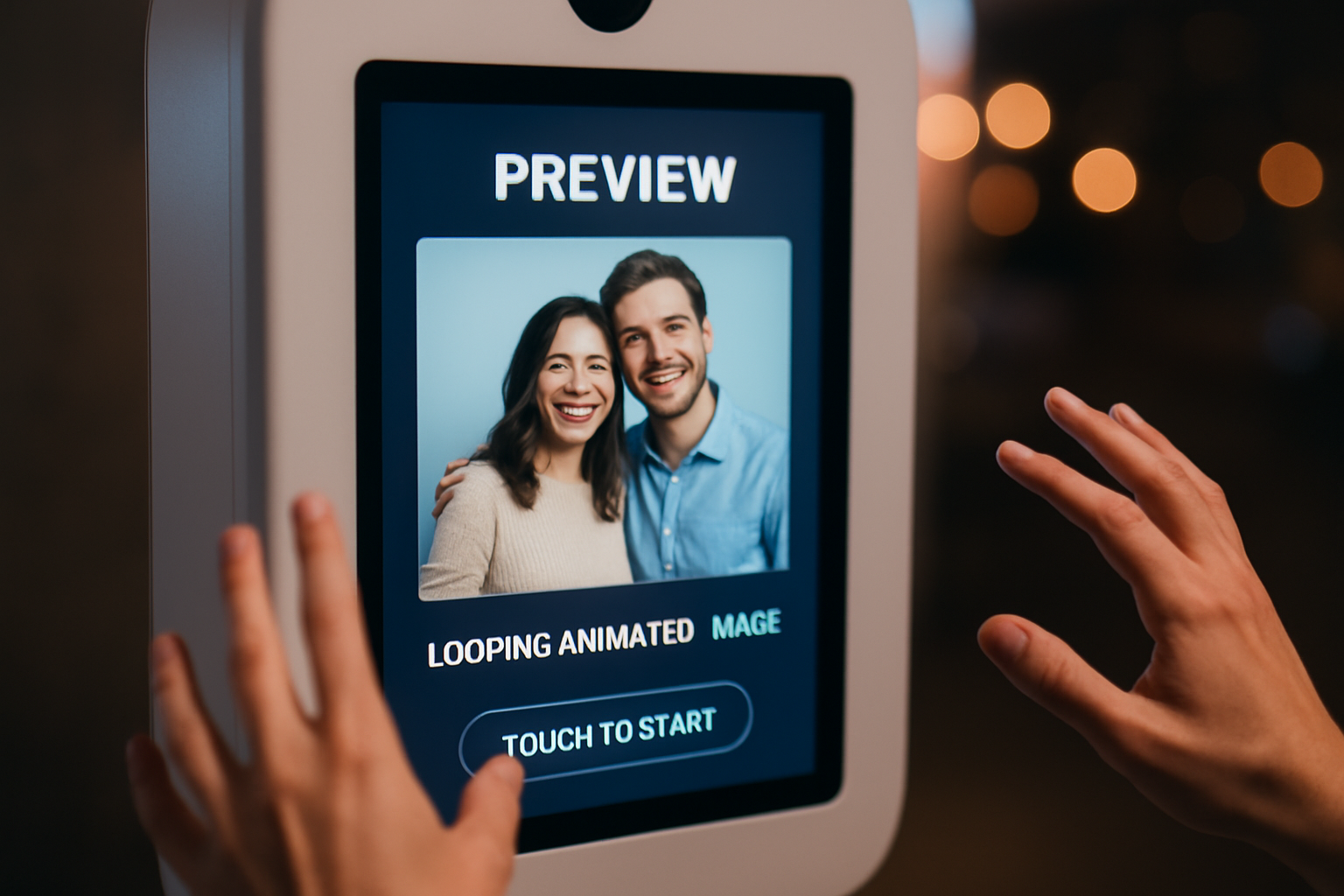
A finished photobooth gif previewing on the booth’s touchscreen.
Why a GIF Photo Booth Boosts Guest Engagement
A GIF photo booth gives guests something more dynamic than a single still frame, and that extra motion tends to translate directly into more shares. According to Giphy, one of the largest GIF platforms in the world, users share billions of GIFs every day, which underscores just how naturally this format fits into everyday social sharing habits.
For weddings specifically, a photobooth gif pairs well with physical keepsakes. Couples exploring take-home options often review ideas for photo booth wedding favors alongside their GIF and Boomerang add-on so every guest leaves with something to keep and something to post.
Corporate clients, meanwhile, use the format to drive booth traffic at dealership promotions and mall activations, since a fun animation is far more likely to get reposted than a static print. As a result, brands gain organic exposure every time a guest tags the event or the sponsor in their post.
Photobooth GIF Pricing and Add-On Options
The Boomerang and GIF capture add-on costs $75 and can be layered onto any base package. The Pick Up package starts at $199, the Digital Booth runs $300 for an 11am to 11pm rental window, and the Prints package costs $500 for a 2-hour on-site session with live printing.
Other popular add-ons that pair well with GIF capture include the Magic Green-Screen Backdrop ($50), Premium 8×8 Backdrop ($100), and a prop table ($50). Because pricing varies by package, it helps to review the full package comparison before deciding which base rental fits your event.
- Pick Up package — from $199, self-serve setup, ideal for tight budgets.
- Digital Booth — $300 for an 11am–11pm window, online gallery included.
- Prints package — $500 for a 2-hour staffed session with live printing.
- Boomerang and GIF add-on — $75, available across all three packages above.
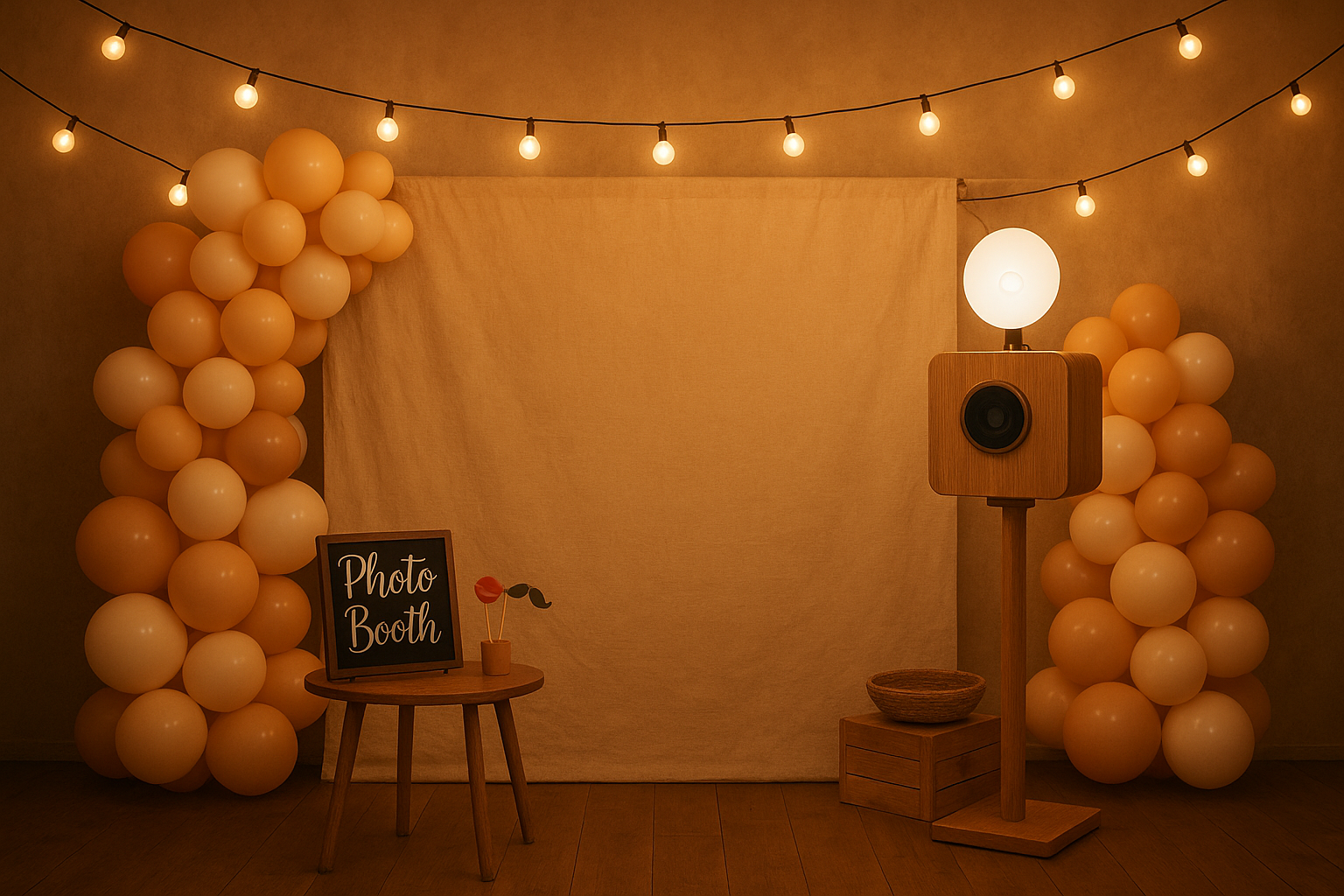
A themed backdrop setup ready for a GIF booth session.
Space, Power & Setup Requirements for Your GIF Booth
A GIF photo booth setup requires roughly a 10ft by 10ft footprint with reliable access to power. The booth should be positioned out of direct sunlight and shielded from wind or rain, since both can affect image quality and equipment safety.
Once the booth is placed, it generally stays in that spot for the rest of the event rather than moving between rooms. Venues without a covered outdoor area, therefore, should plan for an indoor location or a tented space to keep the equipment protected from the elements.
Lighting also plays a subtle but important role. A spot with even, ambient light — rather than harsh overhead spotlights or backlit windows — produces cleaner, more consistent frames for every guest’s animation.
Choosing the Right Rental Package for Your GIF Booth
Selecting the right base package largely depends on whether guests need physical prints or simply want a fast, shareable digital experience. The Pick Up package suits budget-conscious hosts comfortable running the booth themselves, while the Digital Booth and Prints packages add delivery, setup, and optional staffing.
In addition, anyone weighing a self-serve option against a fully staffed one should read the detailed Pick Up versus Prints comparison before booking. For a broader look at composite-style outputs that sometimes accompany GIF capture, the second guide on composite photo booth photos is also worth reviewing. You can also browse the complete photo booth rental lineup, and full package details are always available directly on PicsPhotoBooth.com.
7 Tips for Getting the Best Photobooth GIF Every Time
A little preparation goes a long way toward a cleaner, funnier photobooth gif. Above all, keep these tips in mind:
- Keep movements small and repetitive — a wave, a jump, or a spin reads far better in a short loop than a large, one-time gesture.
- Stay centered in the frame throughout the burst, since drifting out of shot mid-capture can cut off part of the animation.
- Bring props — hats, signs, and glasses add visual variety across the few frames captured in each burst.
- Group poses work best when everyone commits to the same simple motion at the same time.
- Avoid standing directly in front of harsh light sources, which can wash out frames and reduce contrast in the final loop.
- Try both GIF and Boomerang during your turn — each style suits different types of poses and energy.
- Share immediately from the booth screen, since momentum and same-night engagement drive far more views than a next-day post.
Photobooth GIF Ideas for Weddings, Corporate Events & Parties
Weddings
Couples often place the GIF booth near the reception entrance so guests capture a loop early in the night, then revisit it later alongside printed favors. A custom overlay with the couple’s names and wedding date adds a personal touch to every animation.
Corporate Events
Companies use branded photobooth gifs at trade shows, dealership promotions, and holiday parties to encourage organic social sharing. Because a fun animation is more shareable than a static banner ad, the format quietly extends brand reach well beyond the venue.
Parties & School Dances
Birthday parties, reunions, and school formals all benefit from the quick turnaround of a GIF booth, since large groups can cycle through the booth without waiting on prints. Students, in particular, tend to favor GIFs and Boomerangs over prints because they can post directly to their phones.
Photobooth GIF vs. Traditional Prints: Which Should You Choose?
Neither format is strictly better — they simply serve different goals. Consider the following before deciding:
- Choose a photobooth gif when speed, social sharing, and fun matter most to your guests.
- Choose prints when guests want a physical keepsake to hold, frame, or place in a guestbook.
- Choose both by pairing the Prints package with the Boomerang and GIF add-on for maximum coverage.
In practice, most hosts find that combining both formats gives guests the best of each world — a printed memory to keep and a digital animation to share the same night.
Frequently Asked Questions About Photobooth GIF Rentals
What is a photobooth gif?
A photobooth gif is a short looping animation made from a quick burst of photos captured inside a photo booth. It plays back within seconds so guests can view and share it right away.
How long does it take to create a photobooth gif?
Creating a photobooth gif takes only a few seconds of capture time, and the finished animation displays on screen almost immediately afterward. The whole process, from posing to viewing, usually takes under 15 seconds.
What’s the difference between a GIF and a Boomerang at a photo booth?
A GIF loops continuously in one direction, while a Boomerang plays forward and then reverses before repeating. Both are offered together as a single add-on, so guests can try either style during their session.
How much does the Boomerang and GIF capture add-on cost?
The Boomerang and GIF capture add-on costs $75 with PicsPhotoBooth.com. It can be added to the Digital Booth, Prints, or Pick Up rental packages.
Can guests share their photobooth gif right away?
Yes, guests can typically download or share their photobooth gif directly from the booth’s touchscreen or from an online gallery after the event. This makes it easy to post the animation to social media the same night.
Which rental packages include GIF capture?
GIF capture is available as an add-on across the Digital Booth, Prints, and Pick Up packages. It is not automatically included in the base price of any package.
Do I need Wi-Fi for a GIF booth to work?
A GIF booth can capture and display animations without internet access, since the loop plays locally on the booth’s screen. However, dedicated event Wi-Fi, available as an add-on, makes instant sharing and online gallery uploads faster and more reliable.
What size space does a GIF photo booth need?
A GIF photo booth setup requires roughly a 10ft by 10ft space with access to power. The booth should stay out of direct sunlight and away from the elements once it is placed.
Is a photobooth gif a good fit for corporate events?
Yes, a photobooth gif works well at corporate holiday parties, team events, and dealership or mall promotions because it encourages guests to interact and share branded content. Companies often add custom overlays to reinforce their event theme.
What are common mistakes when planning a GIF booth?
A common mistake is placing the booth in direct sunlight or a spot without power access, which can affect image quality and shorten equipment life. Another mistake is forgetting to confirm the space requirement in advance, which can force a last-minute layout change.
Can a photobooth gif be used for wedding favors?
Yes, many couples use a photobooth gif alongside printed photos as a memorable, shareable wedding favor. Guests get a fun animation to keep in addition to any physical prints from the Prints package.
Can I add custom text or logos to my photobooth gif?
Yes, custom overlays such as names, dates, hashtags, or company logos can be added to a photobooth gif so every animation reflects the event’s branding or theme.
How far in advance should I book a photobooth gif rental?
Booking four to eight weeks ahead is generally recommended, especially during busy wedding and school-formal seasons. Popular dates in the Tri-State region can fill up faster than expected.
Does PicsPhotoBooth.com serve my town?
PicsPhotoBooth.com serves the Tri-State region, including Southern Indiana, Western Kentucky, and Southern Illinois, along with smaller communities such as Chandler, Fort Branch, Ferdinand, Jasper, Huntingburg, and Haubstadt. Delivery fees are based on travel zone.
What happens to the photobooth gif after the event?
After the event, the photobooth gif usually remains available in an online gallery for guests to revisit and download. This gives everyone a chance to grab their photos and animations even if they missed sharing them on-site.
Final Thoughts on Booking a Photobooth GIF
A photobooth gif is a small addition with an outsized effect on guest engagement, turning a quick pose into a looping, shareable moment guests actually want to post. Whether it’s paired with the Digital Booth’s online gallery, added to a Prints session for same-night takeaways, or booked with a self-serve Pick Up rental, the $75 Boomerang and GIF capture add-on brings noticeably more energy to weddings, school dances, and corporate events across the Tri-State region. As a result, hosts weighing whether to include a GIF booth alongside their photo booth rental typically find it’s one of the most cost-effective ways to boost engagement and give every guest something worth sharing.